Installation & troubleshooting

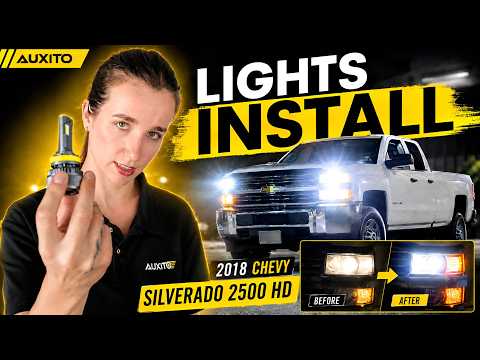
2003 Chevrolet Silverado 2500 HD
High Beam Installation & Troubleshooting

Follow our general installation steps and troubleshooting tips for your High Beam.

These are general installation guidelines and may not reflect the exact removal or installation procedure for your vehicle. Always follow your vehicle owner's manual when vehicle-specific instructions differ.Follow the general installation steps below.

Select Your Vehicle

Step-by-step Installation

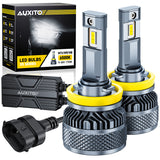
Follow these general steps to install your LED bulb and check that it is working properly.

Common Issues

Having trouble after installation? Find a quick solution below.

01 Installation & Fitment

Why is one LED bulb not working after installation?

Check the bulb connection, polarity, socket condition, and installation position first. If the bulb still does not work, contact AUXITO support with your vehicle and bulb details.

What should I do if my LED light has moisture or condensation inside?

Occasional condensation may occur from temperature changes, but continuous moisture should be inspected. Check the housing seal, dust cover, and bulb mounting area.

02 Light Output & Beam

Why are my LED headlights not as bright as expected?

LED brightness depends on more than lumen output. Bulb design, headlight housing, installation position, and beam alignment all affect real-world performance. Check the bulb installation and beam pattern before judging brightness.

How do I adjust my headlights after installing LED bulbs?

After installation, check the beam cutoff and light direction against your original setup. Adjust your headlights according to your vehicle’s aiming instructions if the beam is too high or uneven.
For step-by-step guidance, please refer to our Headlight Adjustment Aiming Wall Chart.

03 Flickering & Electrical Issues

Why are my LED turn signals blinking too fast after installation?

Fast blinking (hyper flashing) happens because LED bulbs use less power than halogen bulbs. Some vehicles detect this as a bulb failure, and a load resistor may help restore normal flashing speed.

Why are my LED bulbs flickering or flashing after installation?

Flickering can be caused by vehicle electrical systems, PWM signals, or compatibility issues. Check the installation first, and a compatible CANbus decoder or load resistors may help on sensitive vehicles.

Why are my LED daytime running lights not working properly after installation?

DRL performance may vary by 2003 Chevrolet Silverado 2500 HD, trim, and factory lighting system. Check whether the issue only occurs in DRL mode and if it changes when headlights or parking lights are on. Some vehicles use PWM-controlled DRLs, which may affect LED compatibility. If the issue continues, contact AUXITO support with your vehicle and lighting details.

Why is my vehicle showing a bulb-out warning after installing LED bulbs?

Some vehicles detect LED bulbs as failed bulbs because they use less power than halogen bulbs. A compatible CANbus decoder or resistor may help eliminate false bulb-out warnings.

Why did my LED bulbs become dim or stop working?

Common causes include poor connection, overheating, limited installation space, or voltage issues. Check installation and cooling conditions before replacing the bulb.

Why do LED bulbs go out after a while of normal operation when they are installed?

LED bulbs may shut off due to unstable power, overheating protection, or insufficient heat dissipation. Check the wiring, installation space, and cooling conditions.

Can LED bulbs cause radio or Bluetooth interference?

In some cases, LED drivers may cause electromagnetic interference. Compare radio performance with the lights on and off to confirm whether the LED bulbs are the cause.